Why an “OpenSource” ?
SCADA-LTS is more than just « OpenSource software »
It is a « FreeSoftware » often referred to as « Libre Software».
The difference ? It’s a matter of liberty, not price.
The Open Source Initiative is, at the origin (1998), a backlash from the proprietary software industry in response to the spectacular success of the GNU/Free Software movement, aimed at regaining control of the software market. The concept of “OpenSource” was introduced by the OSI in an attempt to marginalise the FSF’s concept of “Free Software” – a concept based on a humanist philosophy and vision of software, aimed at protection of users’ rights more than just code availability.
FreeSoftware is a much earlier movement, defined and protected by the Free Software Foundation (since 1985). They created the GNU operating system, the GPL (the most used FreeSoftware license).
These two worlds are at conflict with each other. They share the same outcome – the provision of source code – but not for the same reasons, nor with exactly the same objectives.
The Scada-LTS is published under the GPL, the famous license promoted by the Free Software Foundation, and so is a pure FreeSoftware.
In order to gather all the softwares belonging to both world, the “FOSS” term is sometimes used, standing for “Free/OpenSource Software”, even sometimes “FLOSS” can be found, for “Free/Libre OpenSource Software”. Indeed, the early choice of “Free” by the FSF/GNU movement may be seen as unlucky, as “Free”, in English, may mean “Gratis” but also “Freedom”. FreeSoftware may be confused with Free Software (so gratis) or even Freewares, which are totally different.
The Free Software Foundation explains this as: “Free software is a matter of liberty, not price“. You may also hear sometimes that FreeSoftwares are “Free as a speach, not free as a beer“, meaning that the point is the freedoms, not the price.
Actually, in order to get a high quality well maintained, well documented software, there is a price to pay. It is not a license price: you don’t have to pay to get a limited right to run the software. It can be in the form of a donation, a support, a contribution (development, documentation, porting effort), … This is why we ask you to purchase a maintenance contract, if you are intended to use the Scada-LTS a professional way.
The advantages of a FOSS ?
Security: you can check for backdoors.
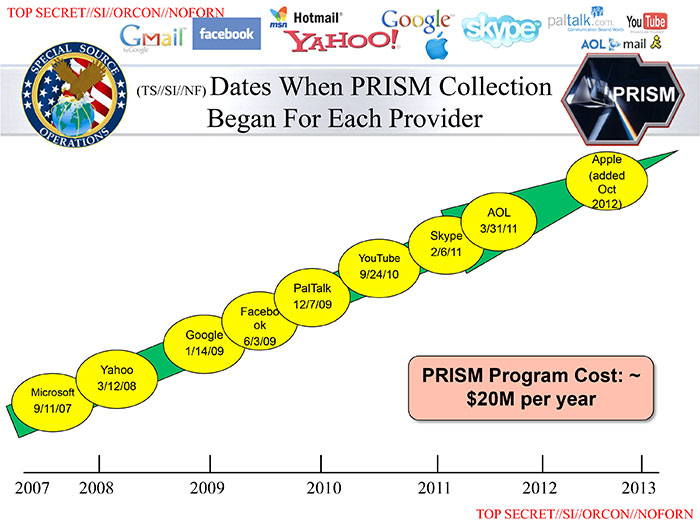
Who remembers that all the US proprietary software vendors placed backdoors in their software at first US government request ? (PRISM scandal)
Source-code quality: as the source code is available, you can check it out. However, many proprietary software applications are not made available as source code, even once they are no longer being marketed, because the publisher does not wish to reveal their very poor code quality.
Maintainability: if the software publisher were to cease trading, the software could still continue to be maintained, either by the community, by a major user such as a government or an international organisation, or by a consortium comprising both.
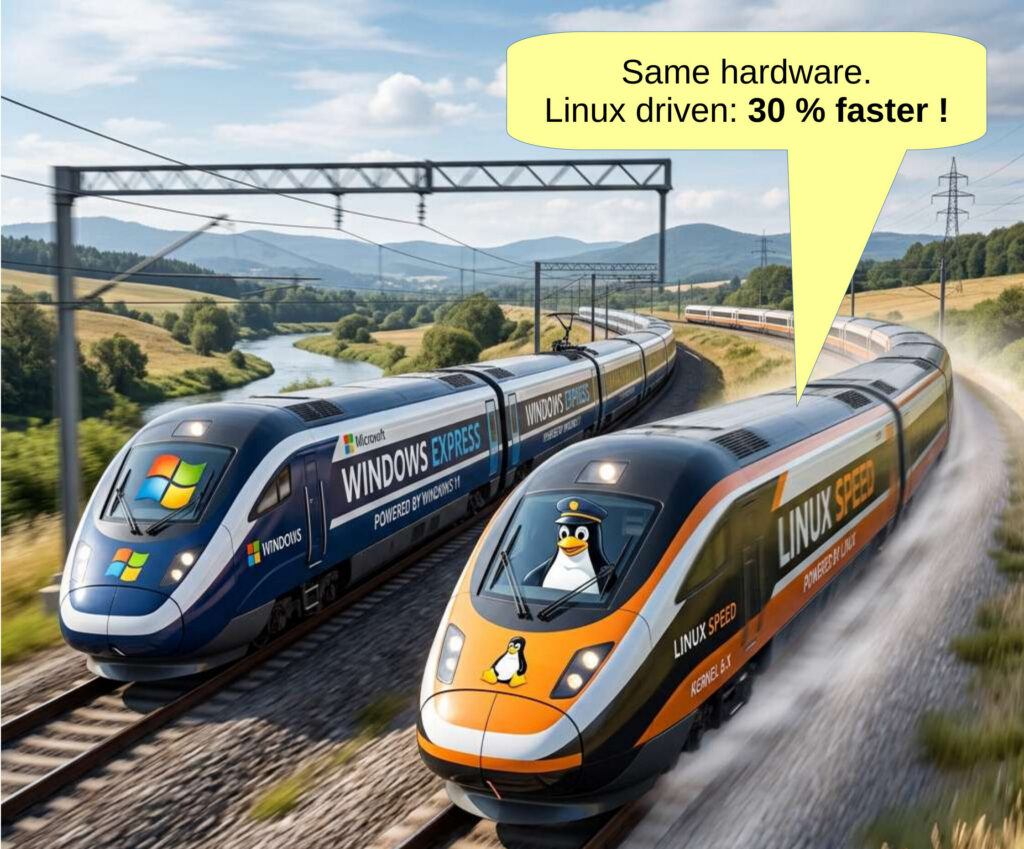
Efficiency: thanks to higher-quality code and reviews carried out by numerous developers from the user community, FOSS performs on average 30% better than its proprietary equivalents.
Adaptability: as the code is open, it is possible to modify it in any way, add extensions or new features, without having to wait for the publisher of proprietary software to take users’ requests for such changes into account.
Quick security patches: as the source code is freely available, the community of developers and users can scrutinise it to detect any potential security vulnerabilities, enabling security patches to be developed; these are usually released even before a method of exploiting the vulnerability becomes available.
And all the other classical advantages of FOSS…
But Scada-LTS is not limited
to these aspects
related to the source code.
It is a truly open Scada solution.
- Open API
The Scada-LTS offers direct access to most of its functionalities through a HTTP-based API

(this page is under development)
- JSON import/exports
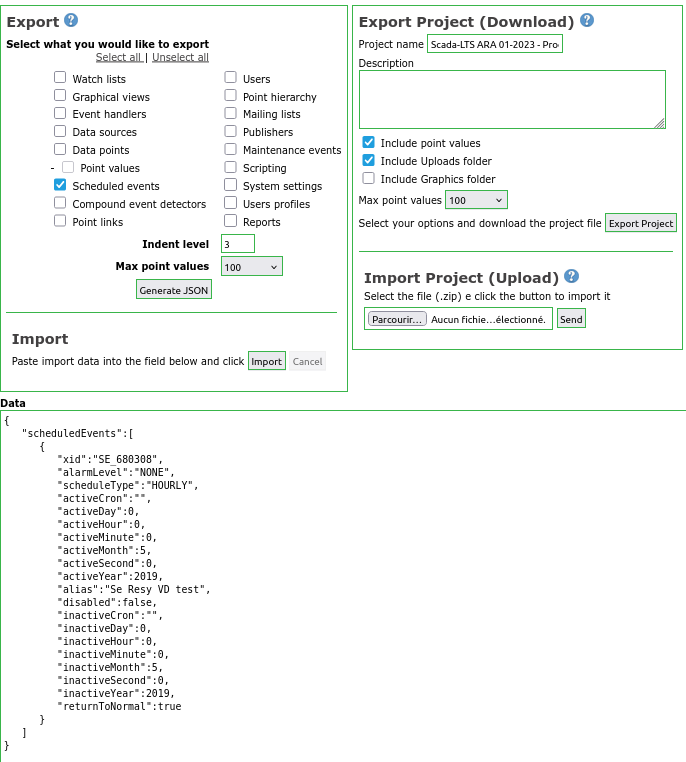
All configurations may be exported/imported, even between various Scada-LTS instances. This method can be used to modify, add, … efficiently graphical views, datasources, datapoints, … by generating JSON code directly, from JSON code exported by the Scada-LTS or from scratch.
- Data structure transparency
The datapoint values are directly available from the SQL RDBMS.
No hidden/cryptic data structures.
This allow even to write some SQL scripts to process an automated way values for a given datapoint, even on the live system.
As example, Scada-LTS can interact with third-party modules, that generates automatically external reports, computations, … based on the stored values.
mysql> SELECT id, FORMAT(pointValue,2), FROM_UNIXTIME(ts/1000)
FROM pointValues
WHERE dataPointId=14 ORDER BY ts DESC LIMIT 3;
+-----------+----------------------+--------------------------+
|     id    | FORMAT(pointValue,2) | FROM_UNIXTIME(ts/1000)   |
+-----------+----------------------+--------------------------+
| 541249083 | 3.66 | 2022-10-08 06:03:02.7490                 |
| 541238469 | 3.46 | 2022-10-08 05:00:47.7490                 |
| 541236158 | 3.26 | 2022-10-08 04:47:02.7490                 |
+-----------+----------------------+--------------------------+
3 rows in set (0.00 sec)
- Generic I/O
The datasource can use very open and versatile protocols, such as HTTP, SQL, … so that it is possible to retrieve data from other sites, other Scada systems.
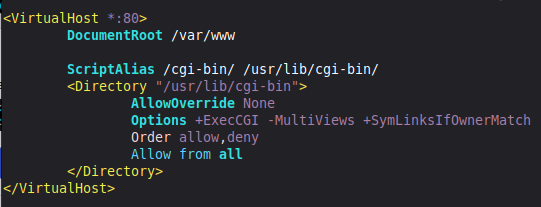
A very generic way to get information from other protocols or data sources is by developing CGI-Scripts, hosted on a local web server (Apache, NGINX, …), that fetch the requested data on demand, through the HTTP datasource mechanism.
Apache configuration for CGI-scripts:
Example of a simple CGI-script:
#!/bin/bash
echo "Content-type: text/html"
ecIt is ho
echo
echo '<pre>'
ssh systemstatus@192.168.1.15 | sed 's/</\</g;s/>/\>/g'
echo '</pre>'
It is then possible to define a HTTP datasource in the Scada-LTS to fetch the appropriate URL (the script name) and it will fetch the modified output of the login prompt of user “systemstatus” on the remote host 192.168.1.15…
The limit is your imagination, and we are available to bring you on the way…
- Java-script, bitmap and HTML-based content
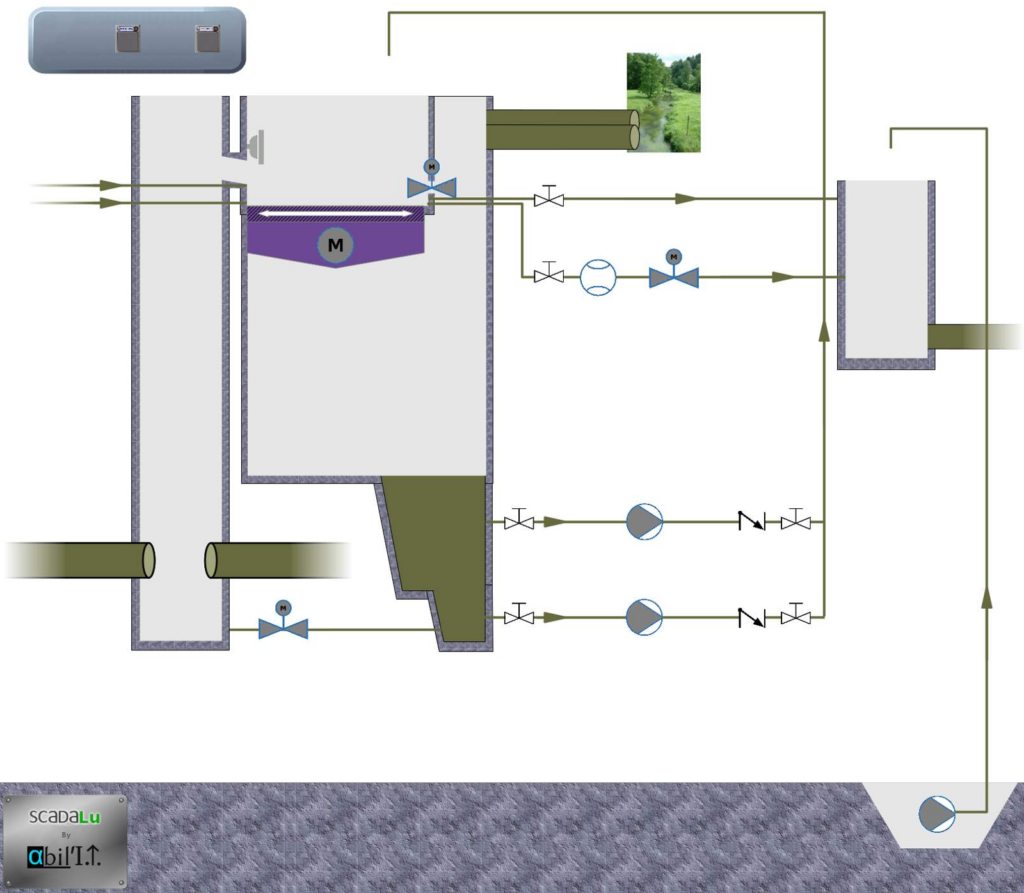
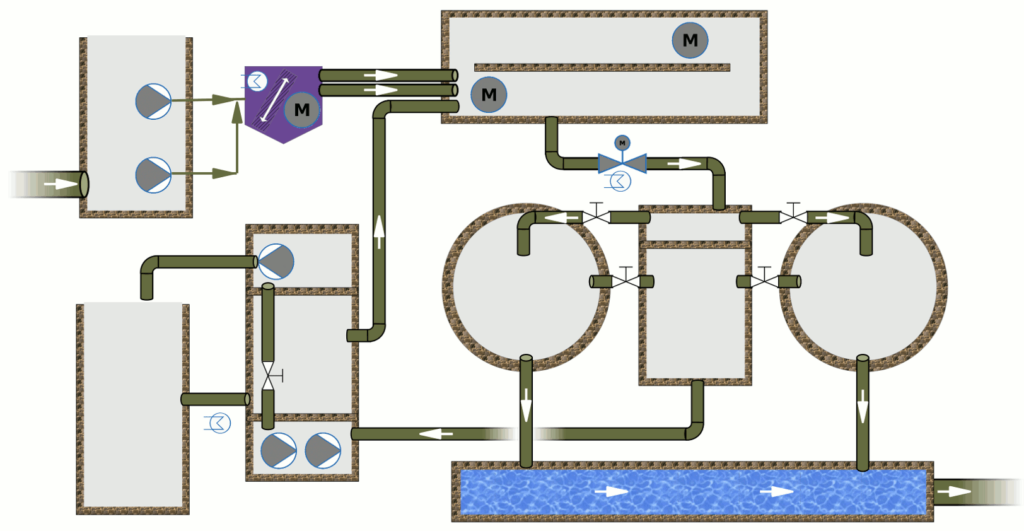
You can define the background of your Graphical views using the bitmap rendering software of your choice, such as The Gimp, OpenOffice Draw or any other.
Examples of backgrounds:
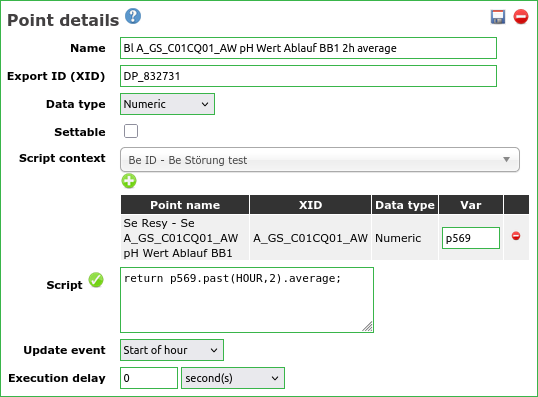
You can define your actions in plain Java-script, through the web interface, without requiring any specific tool (compiler, software development environment, special plug-in, …)
You can define your own Graphical Components, from bitmap or HTML sources, and import them in the Scada-LTS without requiring a restart of the server.
Example of customer defined Graphical Components:





« OpenSource » is great, but it’s not enough.
- Patent free, interoperable field protocol support
We recommend the use of Modbus field protocol, as it is fully specified, patent free, not specific to any hardware vendor and widely supported, if it fits your needs.

Conclusion
Data format openness, respect of standard, portability, … is also required to trust a Scada system, and integrate it into a strategic, sensible, valuable infrastructure.